
Quick description
NEON SNAKE is a modern browser version of the classic Snake idea, designed first and foremost for phones. Guide the glowing snake across a clear grid, collect energy and grow longer without hitting a wall, your own body or, in later levels, solid obstacles. The opening levels are deliberately simple: large cells, a slow starting speed and no obstacles at first. That gives you time to learn the unusual but practical one-thumb controls before the board becomes tighter.
On a phone, you can tap large left and right touch zones to turn 90 degrees relative to the snake’s current direction. Prefer gestures? Switch to swipe control. On a computer, arrow keys and WASD work as well. You can play Snake online for free directly in the browser, with no app installation required. A short tutorial, three-life system, combos, power-ups and a locally stored best score add structure without changing the simple core of Snake.
The familiar Snake rule, with a calmer start
The basic objective is immediately recognisable. Move towards the glowing energy point. When the snake reaches it, your score increases and the body becomes longer. That extra length is the real source of difficulty: every successful pickup leaves less room for the next turn, so routes that looked safe a few seconds ago can suddenly become awkward.
NEON SNAKE does not throw the full challenge at you in the opening seconds. The snake begins with only three segments. Level 1 asks for just four energy pickups before you advance, and the first two levels contain no fixed obstacles. This is intentional. You first learn the timing of the movement, how wide a 90-degree turn feels and how much space the growing body needs. The difficulty then rises in small, readable steps rather than through a sudden jump in speed.
One thumb instead of four tiny direction buttons
Most mobile Snake games try to reproduce a keyboard with four small arrows. NEON SNAKE uses a different approach. In the default Thumb mode, the lower part of the screen contains two large touch areas: turn left and turn right. The command is relative to the direction of travel. If the snake is moving upward, right sends it to the right; if it is moving left, the same right command sends it upward.
This layout is useful on a phone because you do not need to aim for a tiny button while watching the board. If you are more comfortable with conventional directional gestures, choose Swipe mode and drag up, down, left or right directly over the game board.
Watch the demo, then practise without losing the run
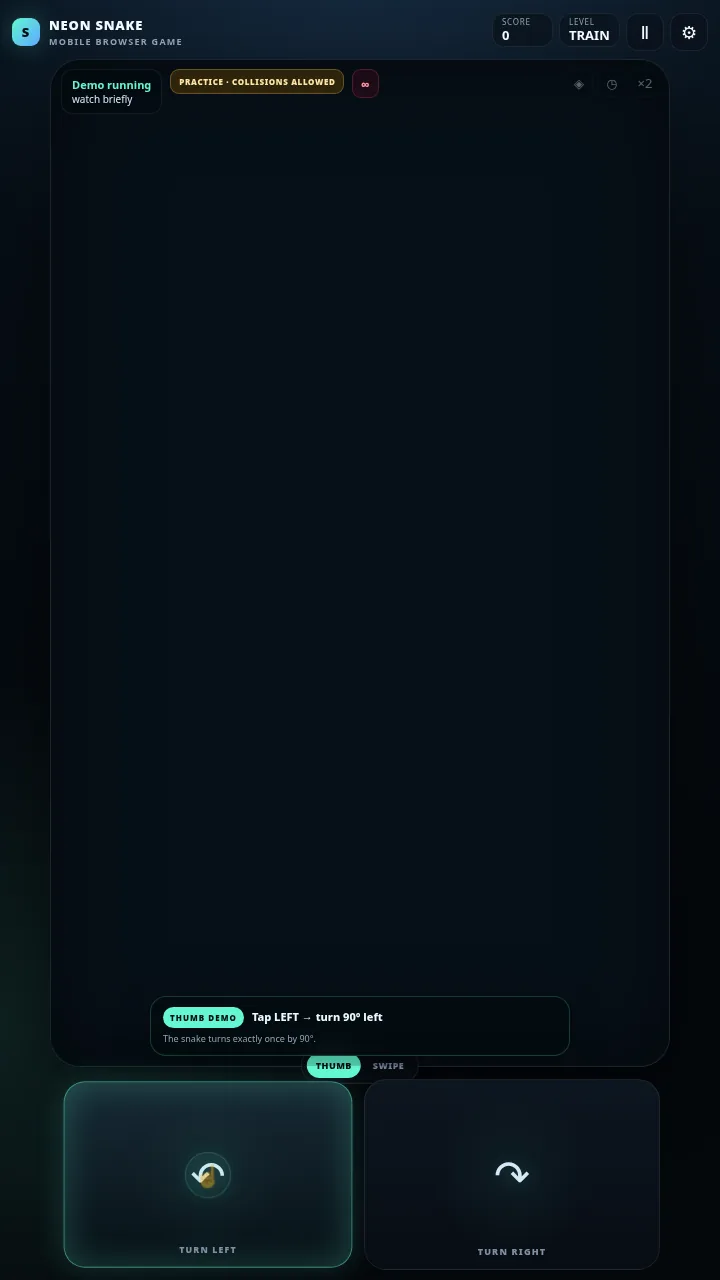
Relative steering makes sense quickly once you see it in motion, so the first-start tutorial demonstrates the idea on the live board instead of hiding it behind a long instruction screen. A visual finger cue moves to the left or right control, the snake turns, and a short message explains what just happened. After a few examples, control passes to you.
The practice task is to collect three energy points. During this training phase, a collision does not end the session. The snake is placed back in a safe position and you can continue. That makes the tutorial useful for learning rather than a test you can fail. Once you have finished, you can start a normal run immediately or keep practising. The tutorial can also be reopened later from the settings.
When do obstacles and faster levels appear?
Levels 1 and 2 are obstacle-free. Level 3 introduces the possibility of special power-ups, while fixed blocks begin to appear from level 4. The number of obstacles then increases gradually, up to a controlled limit, and the base movement speed also becomes faster as the level number rises.
That progression changes the way you read the board. Early on, you can make broad turns and learn how the body follows the head. Later, a block can cut an open area into two smaller corridors. A direct path to the next energy point may no longer be the sensible path if it leaves the snake with no room to exit. Because your own body is another moving barrier, the safest route is not always the shortest one.
Score, combos and three useful power-ups
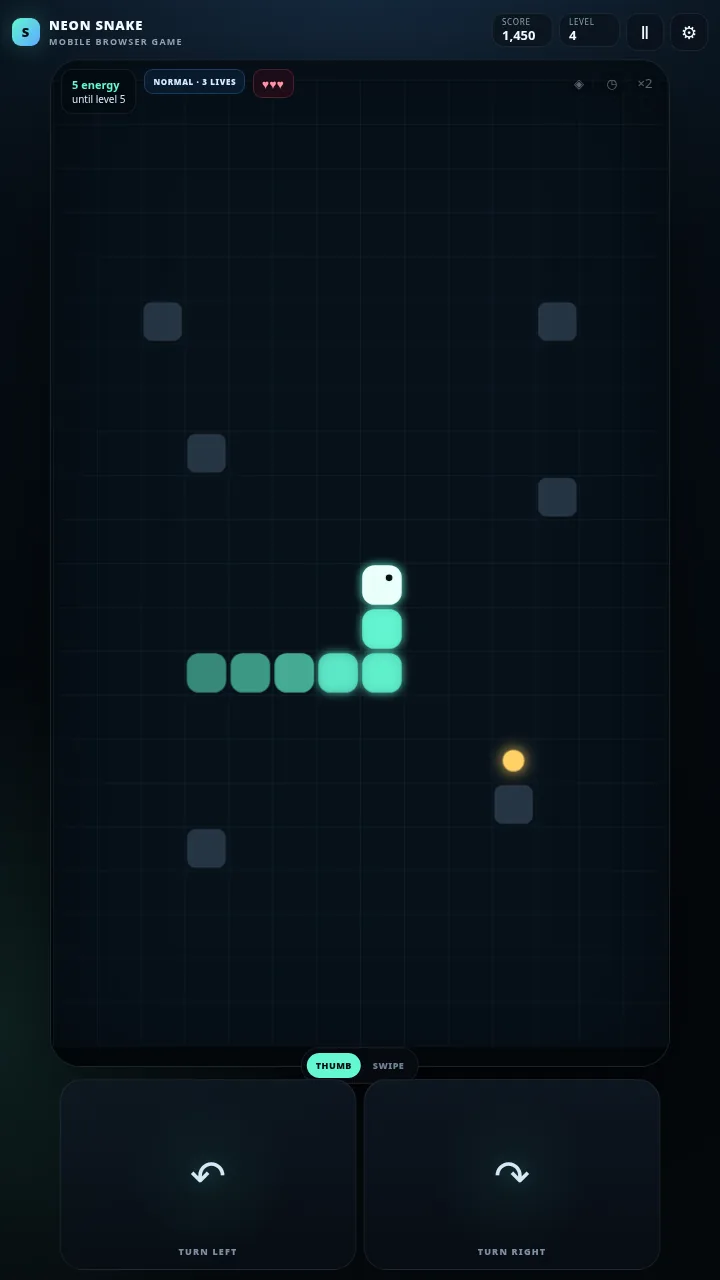
Each normal energy pickup adds points. Collect another one quickly enough and the combo multiplier begins to rise, rewarding clean, efficient movement. The multiplier is not a reason to drive blindly into a corner, but it does give experienced players a reason to choose a more direct line when the board allows it.
From level 3, a pickup can occasionally be replaced by one of three special items. A shield absorbs a collision and is then consumed. Slow Time temporarily reduces the pace, creating extra thinking time when the snake is long or the route is narrow. The ×2 score bonus doubles the points you earn temporarily. These effects do not replace the core rules; they create small tactical choices around them. Sometimes a power-up is worth a detour, and sometimes the safer decision is to ignore it.
Your best score is stored locally in the browser. There is no account requirement in this version, so clearing browser storage or switching to another device does not automatically carry the record across.
A collision costs a life, not the entire run
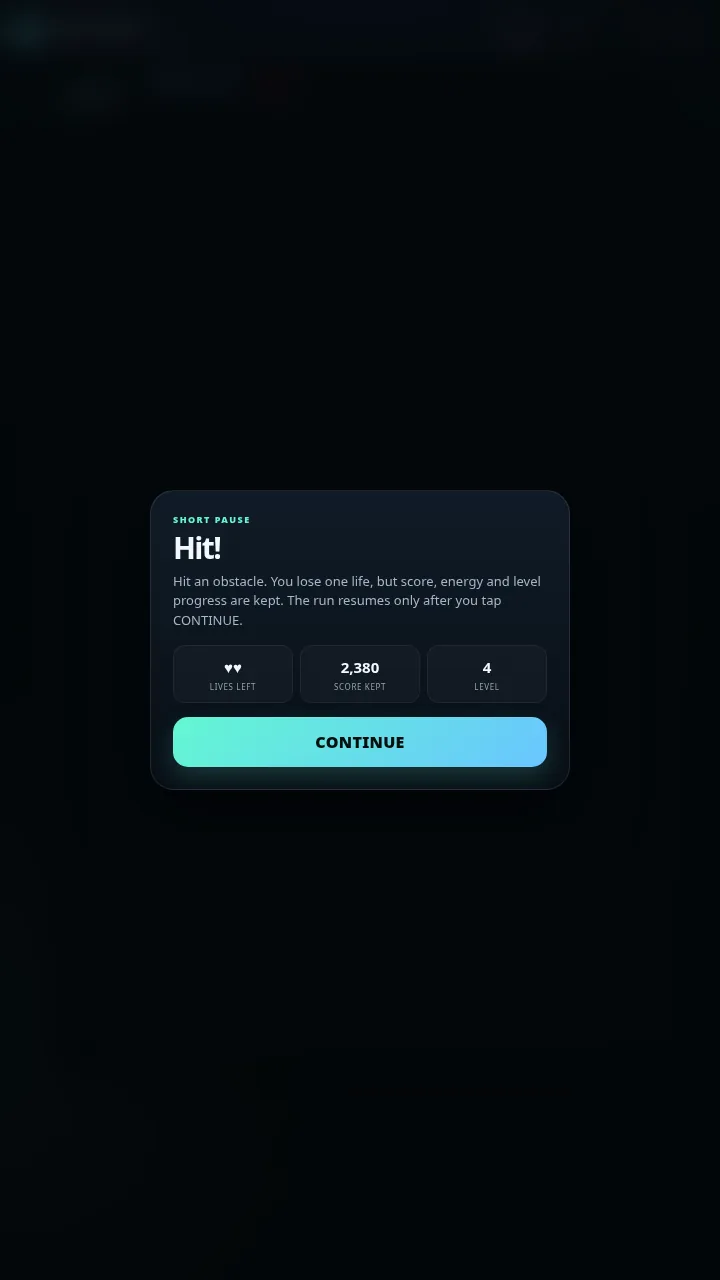
Phone controls should be forgiving enough to survive one mistimed tap. A normal NEON SNAKE run therefore starts with three lives. Hitting the wall, your own body or a fixed obstacle pauses the action immediately. The game shows how many lives remain and, importantly, keeps the score, collected energy and current level progress.
The snake does not restart automatically while you are still trying to work out what happened. You choose when to continue. After tapping the continue button, the snake is placed in a safe central position and the same run carries on. If a shield was active, the shield is consumed instead of a life. Only after the third unprotected collision does the run end.
Made to run directly in a mobile browser
NEON SNAKE is built as a lightweight HTML5 browser game. There are no external game frameworks, font downloads or CDN dependencies in the standalone version. The board is drawn on a canvas, while the snake movement uses a fixed gameplay step independent of screen refresh rate. That matters on modern phones because a 120 Hz display should not make the snake move twice as fast as it does on a 60 Hz device.
Practical tips for longer runs
Look one turn beyond the energy point. Reaching the pickup is only half the decision. Before committing, make sure the longer snake will still have a usable exit route.
Use the empty early levels to learn the turning rhythm. Levels 1 and 2 are not a race. Their value is that you can practise relative left/right commands without fixed blocks forcing tight decisions.
Do not build tight spirals too early. They may feel controlled, but they can close valuable space around your own body. Wide loops leave more options.
NEON SNAKE FAQ
How do I control NEON SNAKE on a phone?
The default control uses two large thumb zones. Tap left or right to turn the snake exactly 90 degrees relative to its current direction. You can switch to swipe controls at any time.
Can I play NEON SNAKE for free?
Yes. It is a free Snake browser game that runs directly on the webpage without a separate app.
Does it work on desktop computers?
Yes. It is playable on phone and computer; desktop players can use arrow keys or WASD.
What happens when the snake hits a wall or itself?
In a normal run, the collision costs one life. The game pauses, keeps your score and level progress, and waits for you to press continue. The run ends after three unprotected hits.
When do obstacles start?
The first two levels have no fixed obstacles. Power-ups can appear from level 3, and fixed blocks are introduced from level 4.
Which power-ups are available?
The current version includes a shield, Slow Time and ×2 score. The shield absorbs one collision, Slow Time reduces movement speed for a few seconds, and ×2 temporarily doubles scoring.
What is the practice round for?
It teaches the one-thumb steering on the live board. After the automatic demonstration, you collect three energy points yourself. Practice collisions reset the snake safely instead of ending the tutorial.
Is my best score saved?
Yes. The best score is saved locally in the browser. It is not automatically synced to another device or restored after local browser data is deleted.
Try a different challenge
PONG tests your paddle timing. STARTRAIL calls for quick reactions, while PRISM BLOCKS lets you find the right places for your blocks.